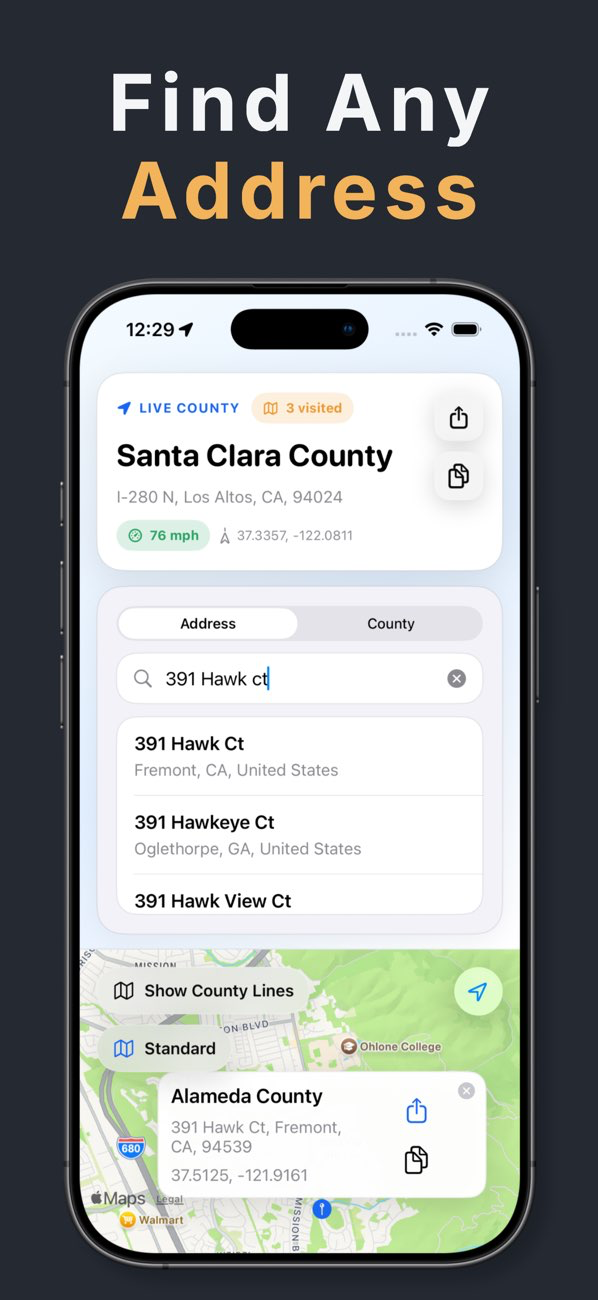
Search the location you actually mean
Use a complete street address when possible. The selected result stays visible on the map, which is especially helpful when a city or ZIP code spans more than one county.
- U.S. address search
- Mapped search result
- County and location details
Check a point without an address
Drop a point on the map to inspect another location. This helps with rural places, route planning, outdoor locations, and field sites where a postal address is not the best reference.
- Point-on-map lookup
- Copy and share
- Coordinate context
Use the result as a location check
The app identifies counties; it does not replace a government jurisdiction determination, property survey, or legal boundary record when formal verification is required.